How can we help?
Telegram bot
Before Connecting
Before connecting the channel, you need to install the Telegram app on your smartphone or PC.
You can connect an unlimited number of Telegram bot accounts to your project in Teletype.
Connection
If you don’t have a Telegram bot yet
- Open the Telegram app and type @BotFather in the search bar.
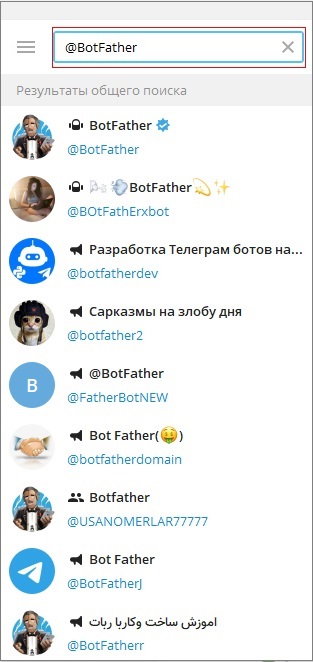
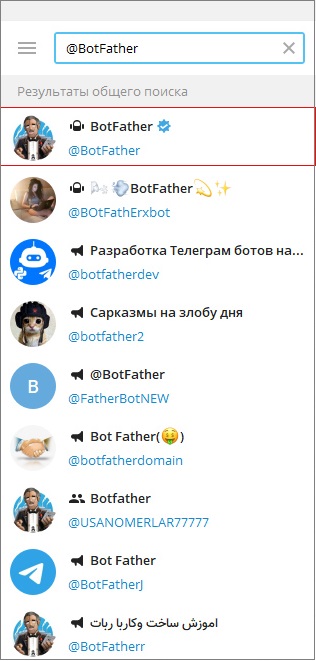
2. Select the highlighted bot. (Note the blue checkmark to the right of the bot’s name)
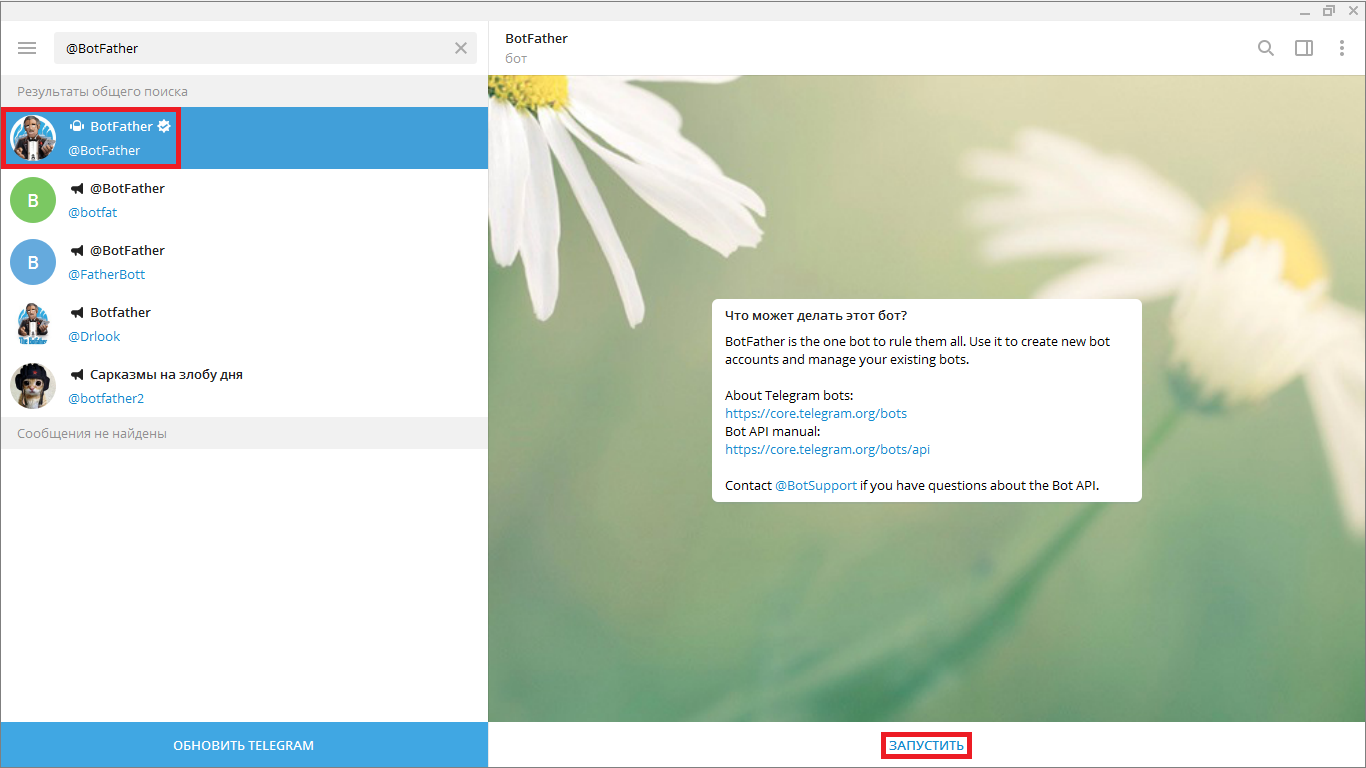
3. Click “Start.”
4. Select or type the command /newbot to create a new bot.
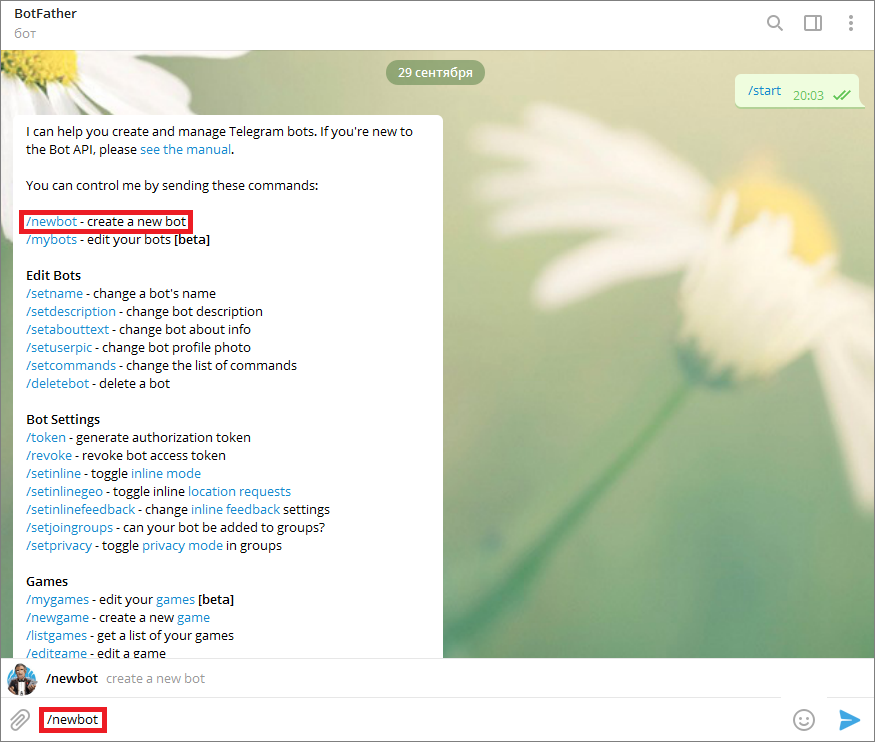
5. Come up with and enter the name of your new bot.
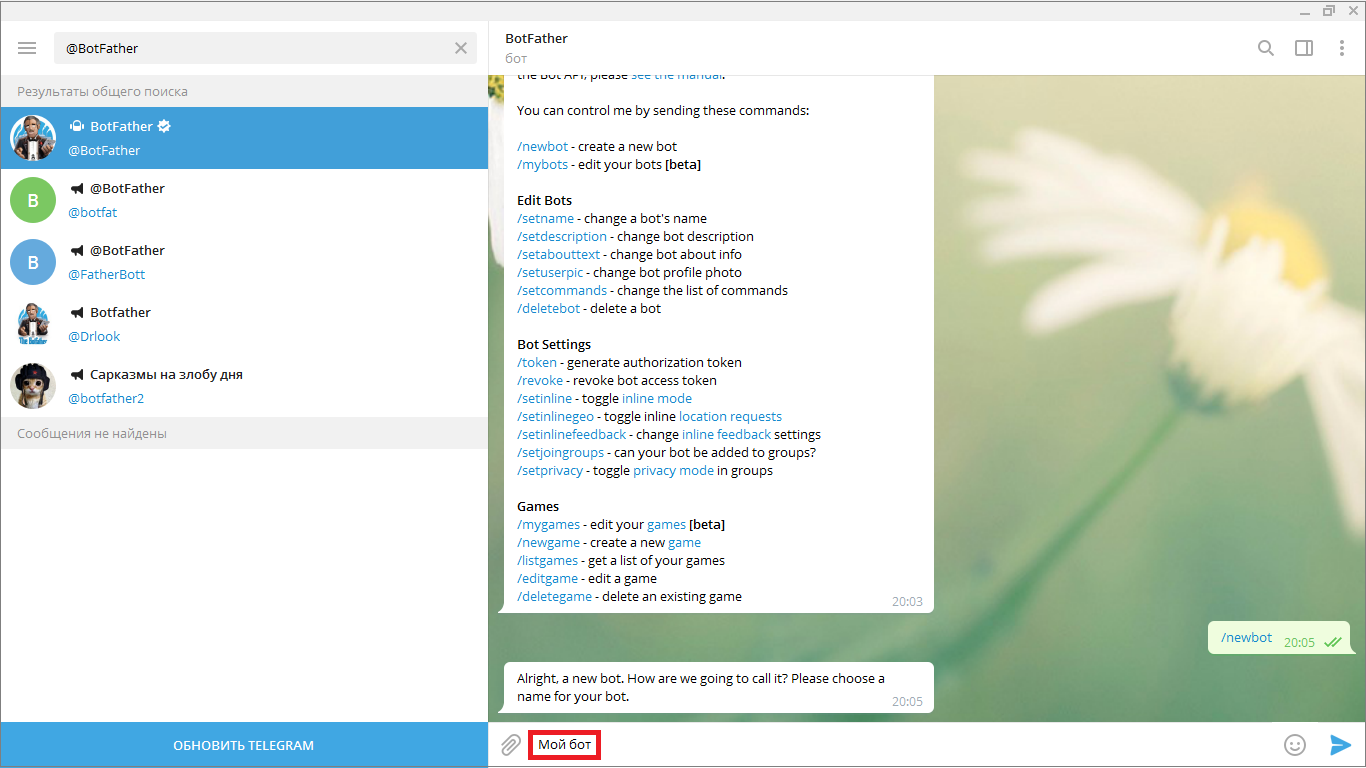
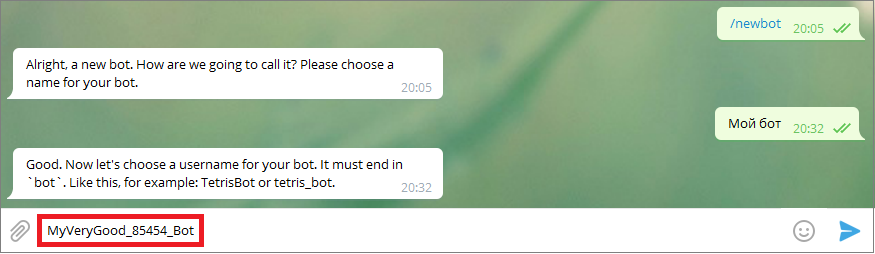
6. Create a username for the bot. It must end with “bot”.
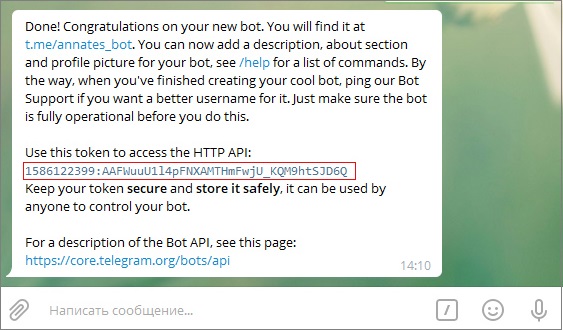
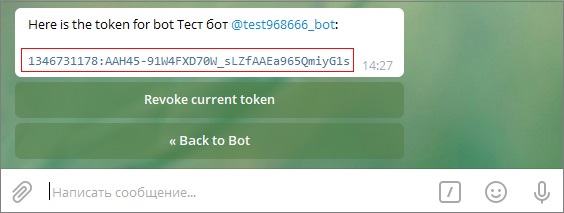
7. Copy the generated special token.
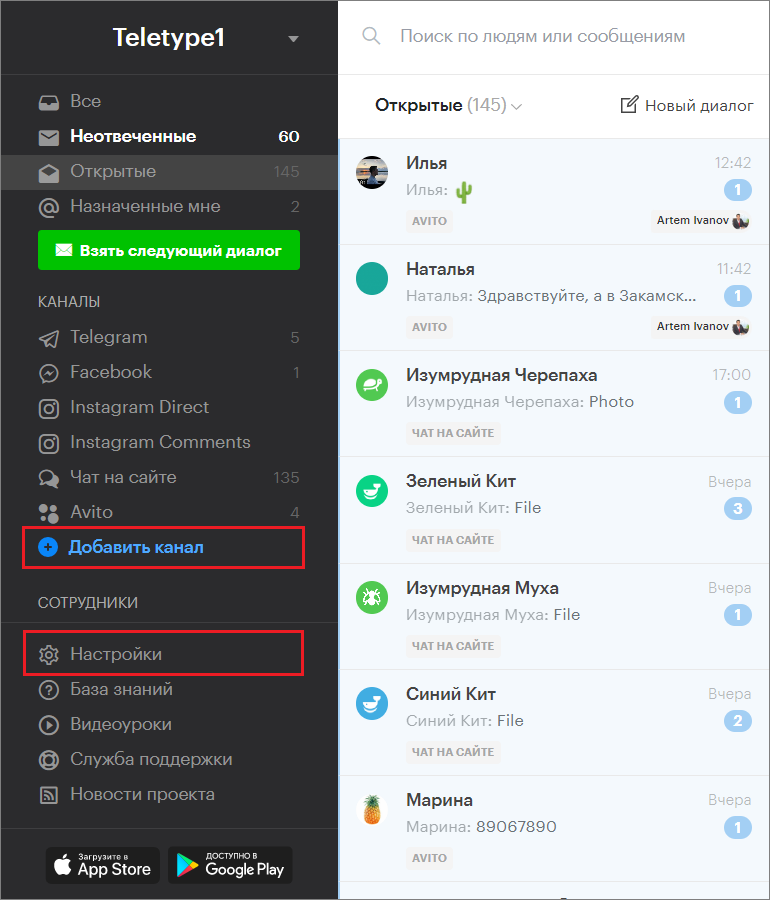
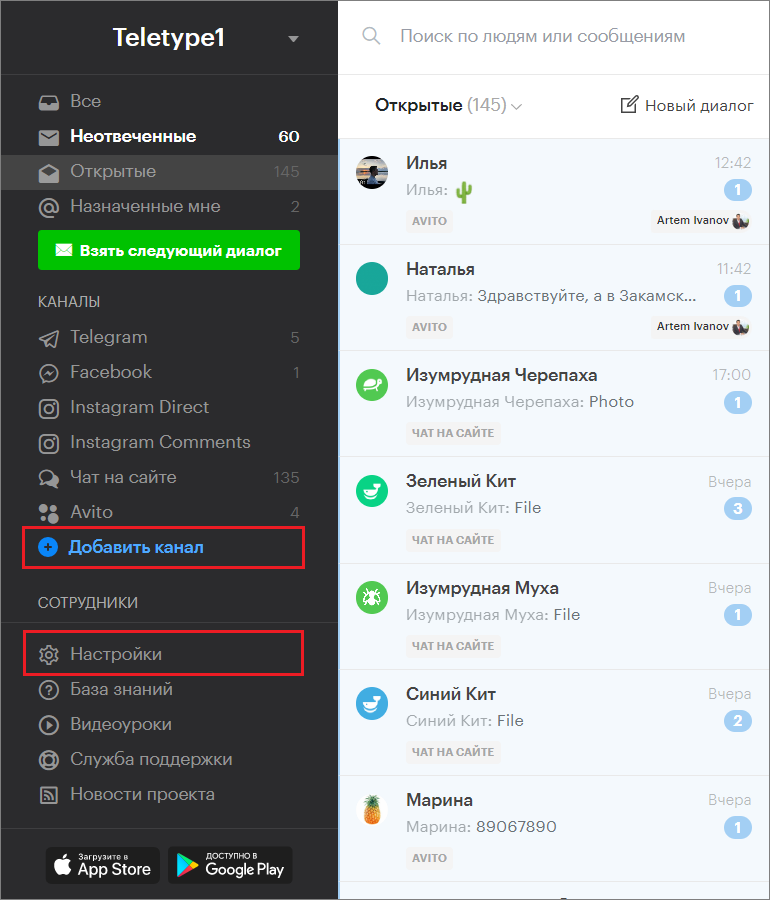
8. Go to the “Add Channel” section in the left menu of the Teletype panel or in the project settings.
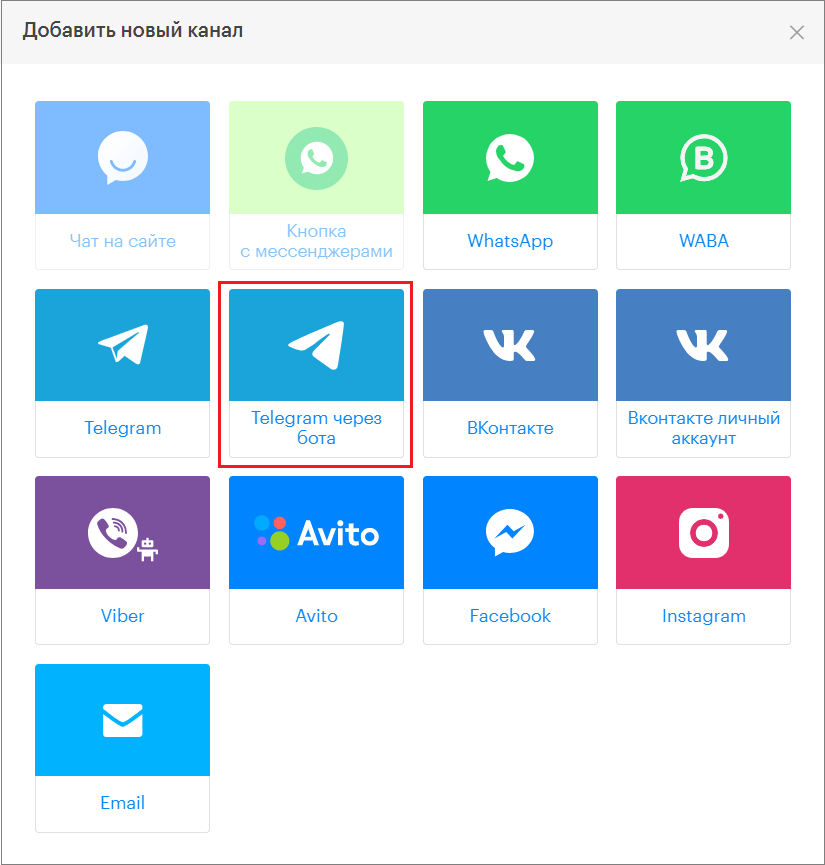
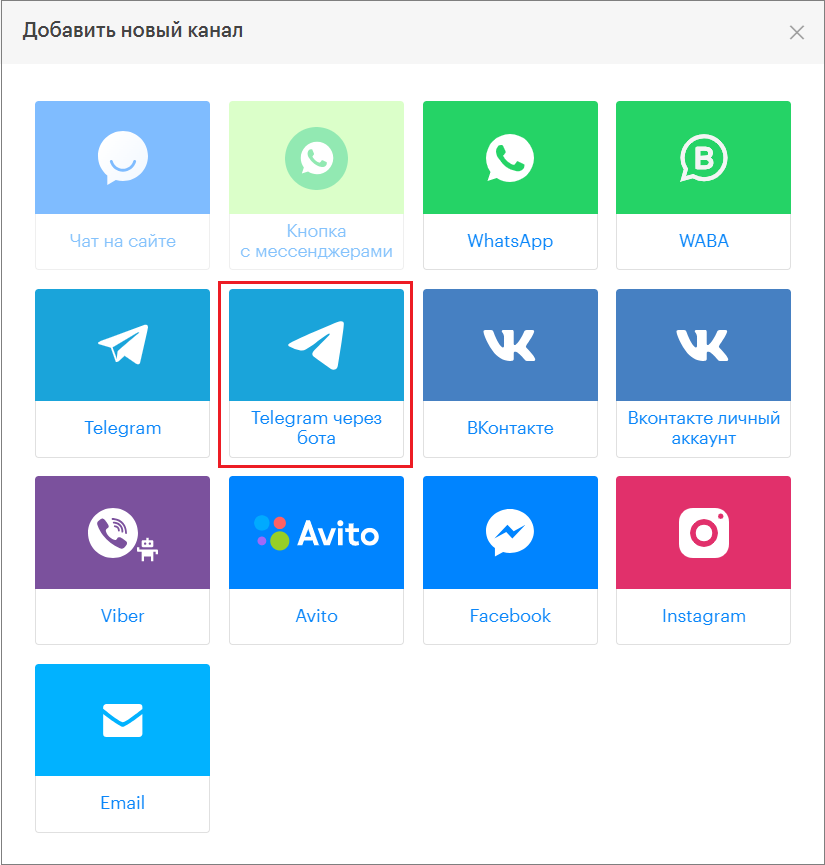
9. In the window that appears, select the “Telegram via bot” block.
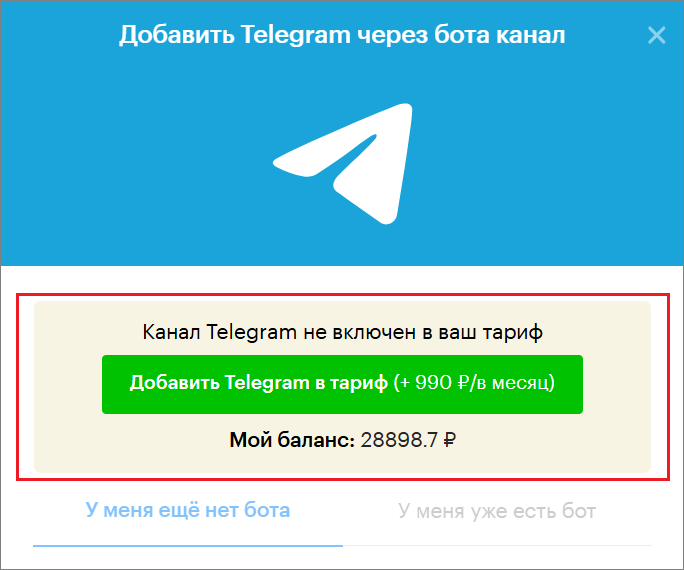
10. Click “Add Telegram to the plan.”
11. Paste the secret token into the corresponding field.
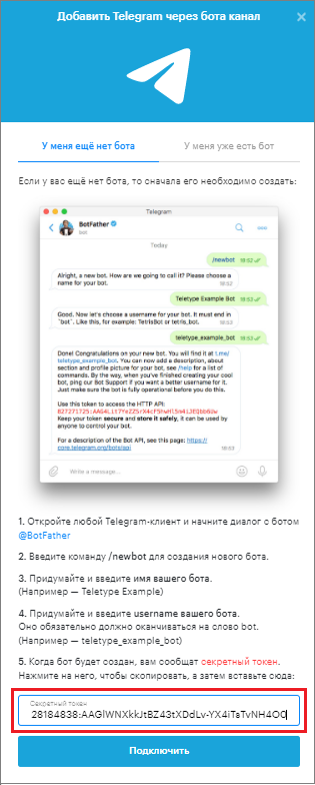
12. Click “Connect.”
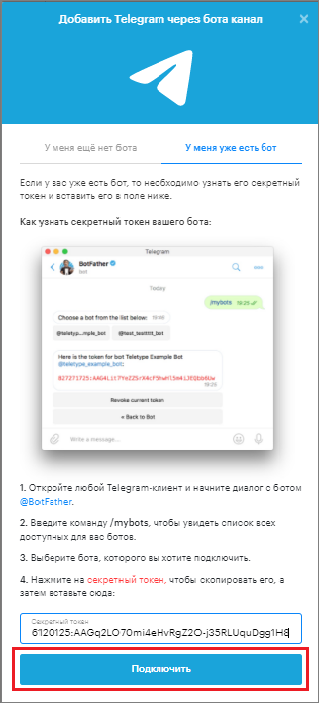
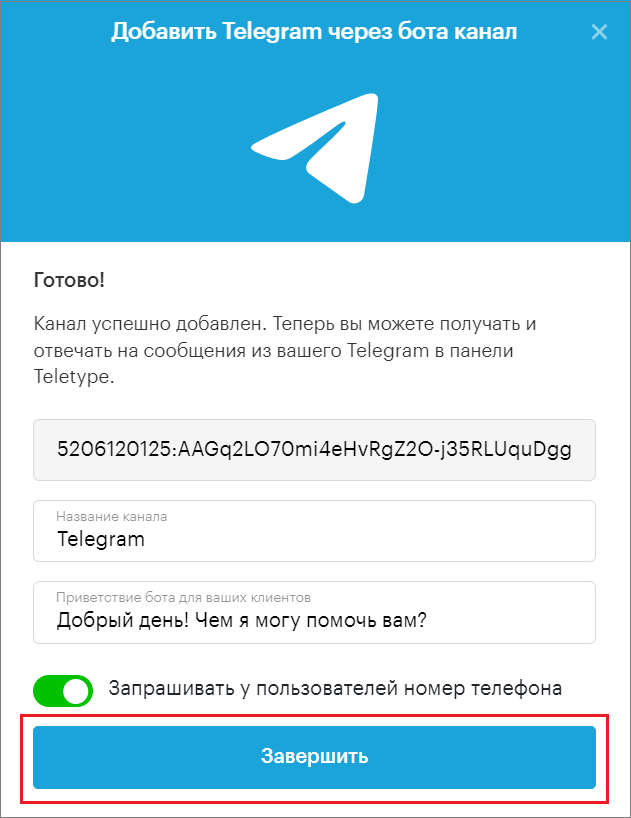
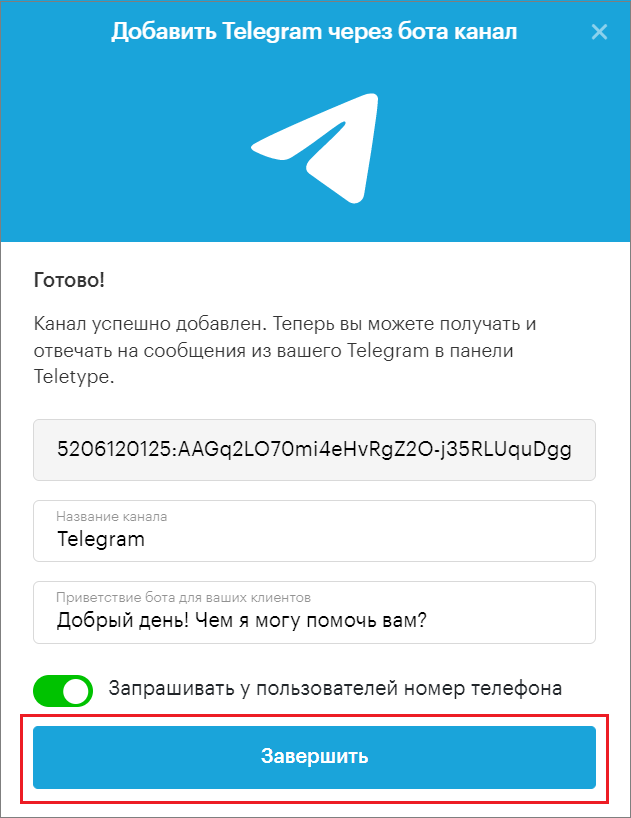
13. Change the channel name if necessary.
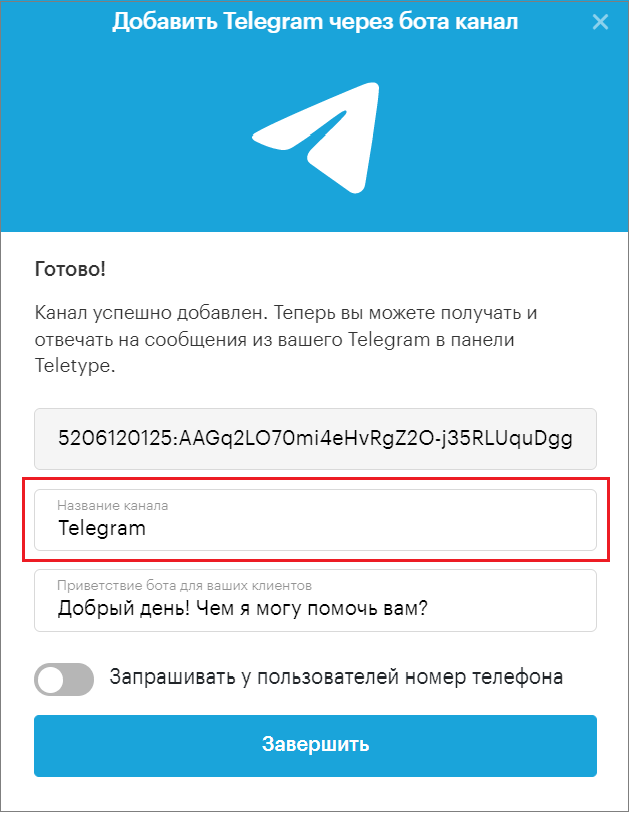
14. Add an automatic greeting from the bot.
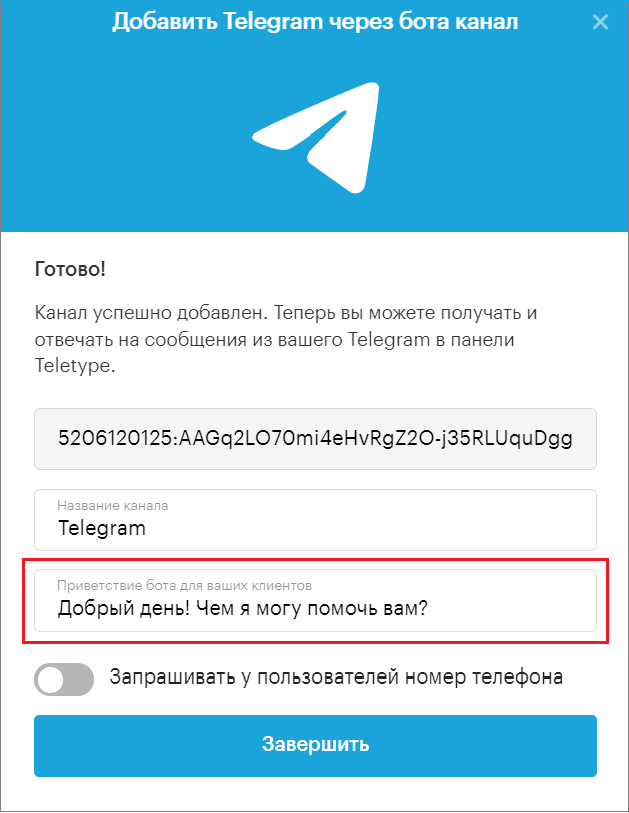
15. Enable the request for users’ phone numbers if needed.
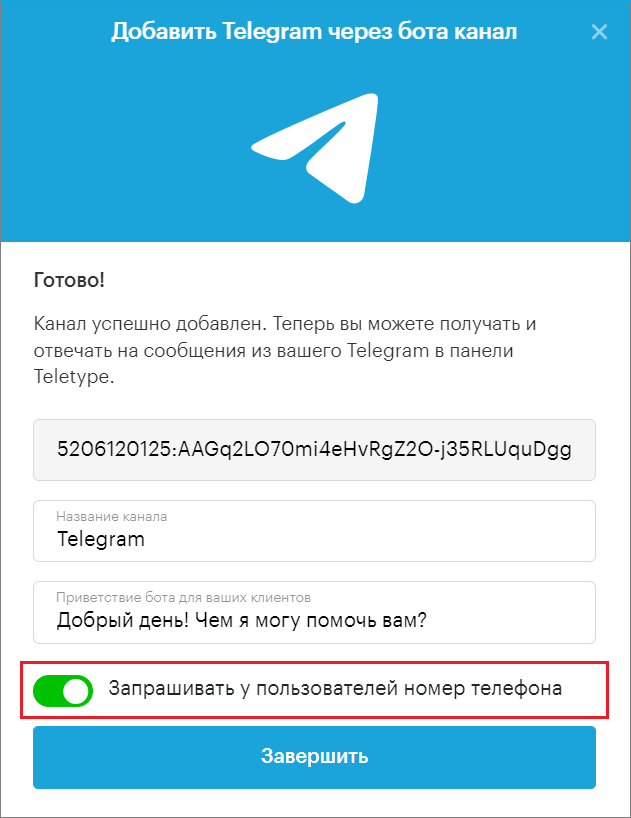
16. Click “Finish.”
If you already have a Telegram bot
- Open the Telegram app and type @BotFather in the search bar.
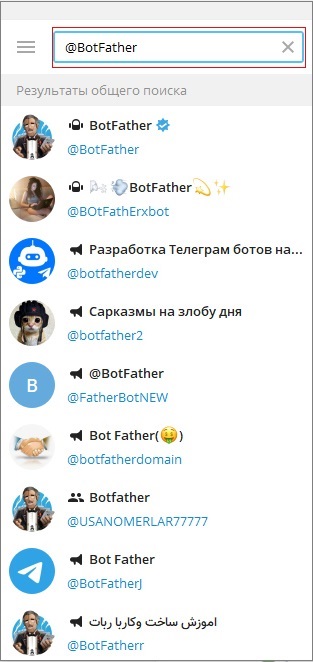
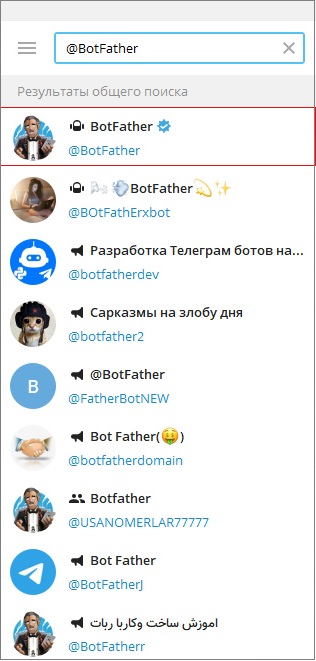
2. Select the highlighted bot.
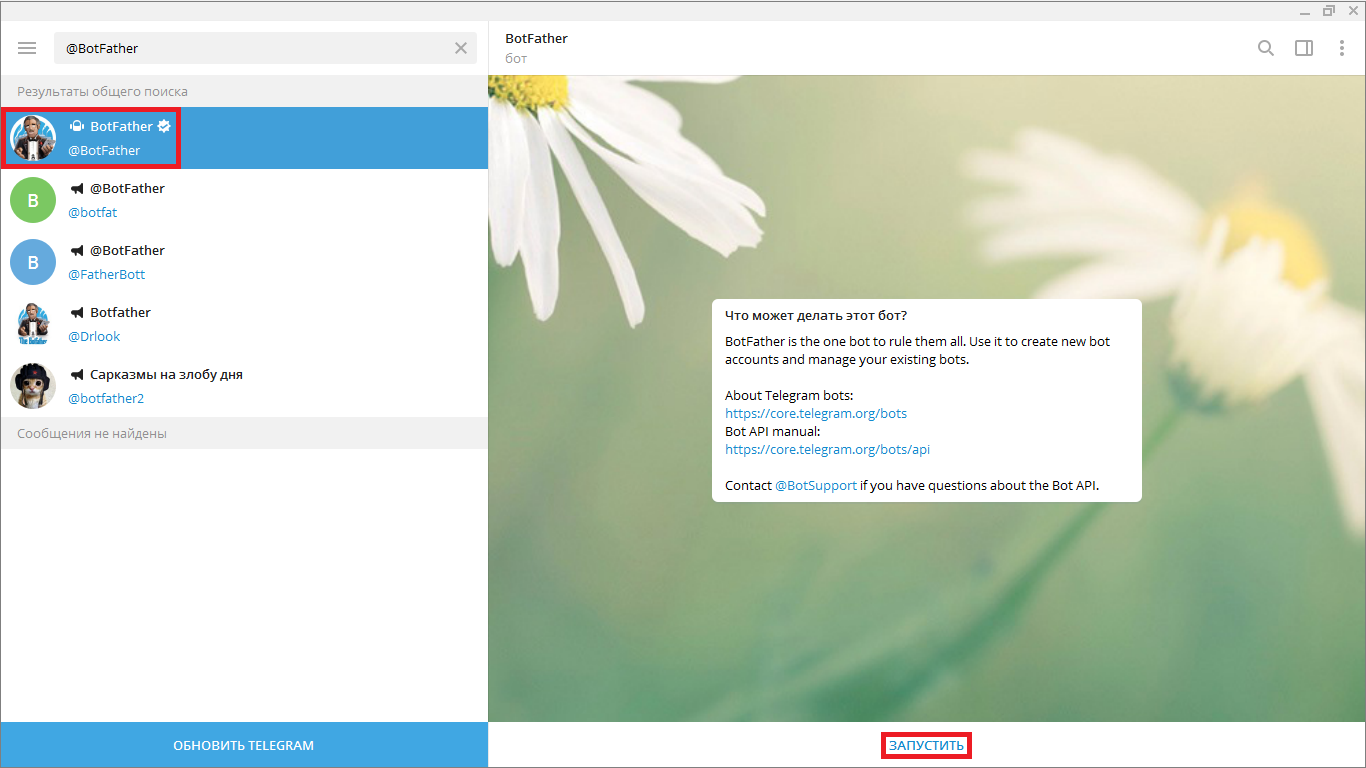
3. Click “Start.”
4. Enter the command /mybots to see a list of all available bots.
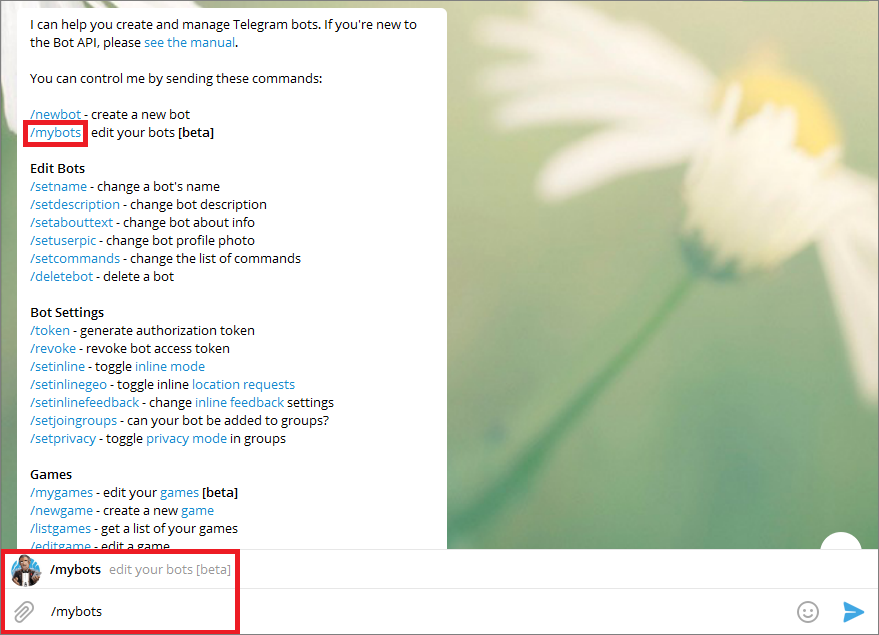
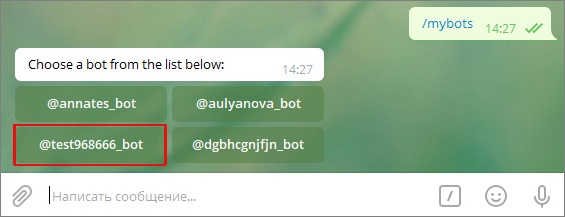
5. Select the bot you want.
6. Click “API Token.”
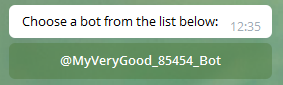
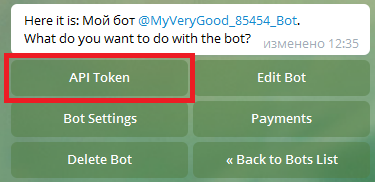
7. Copy the token you received.
8. Go to the “Add Channel” section in the left menu of the Teletype panel or in the project settings.
9. In the window that appears, select the “Telegram via bot” block.
10. Click “Add Telegram to the plan.”
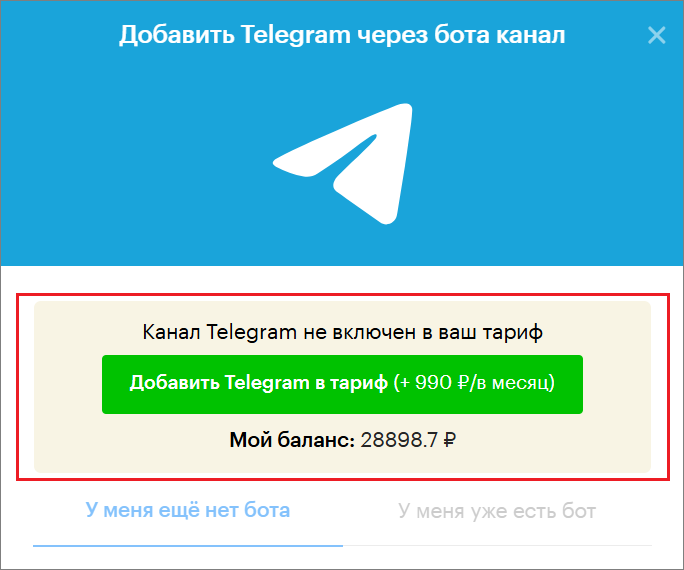
11. Select “I already have a bot.”
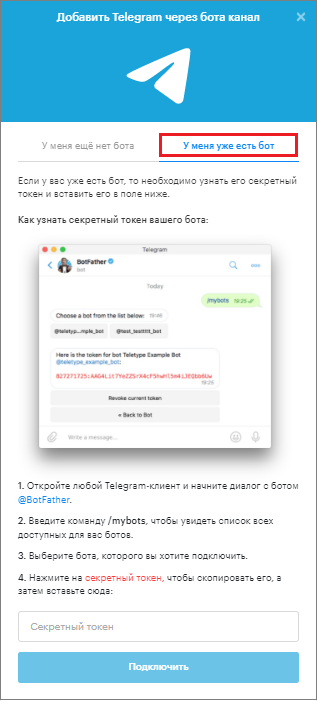
12. Paste the copied token into the corresponding field in the Teletype panel.
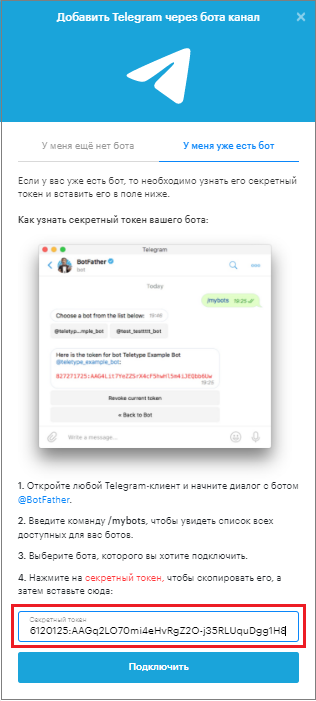
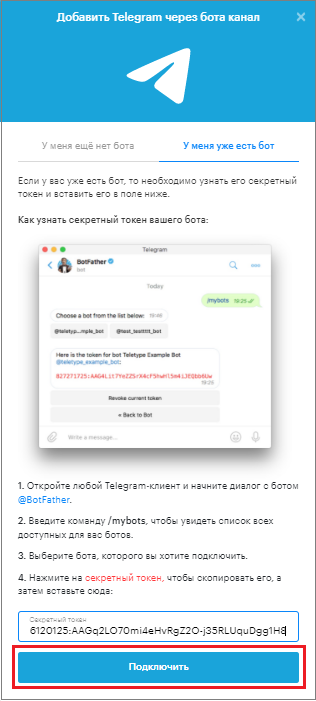
13. Click “Connect.”
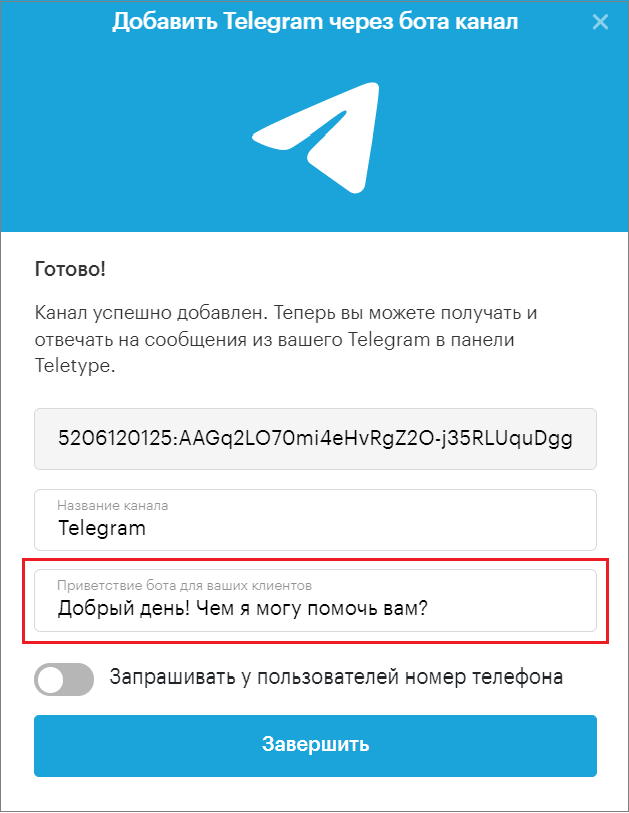
14. Change the channel name if necessary.
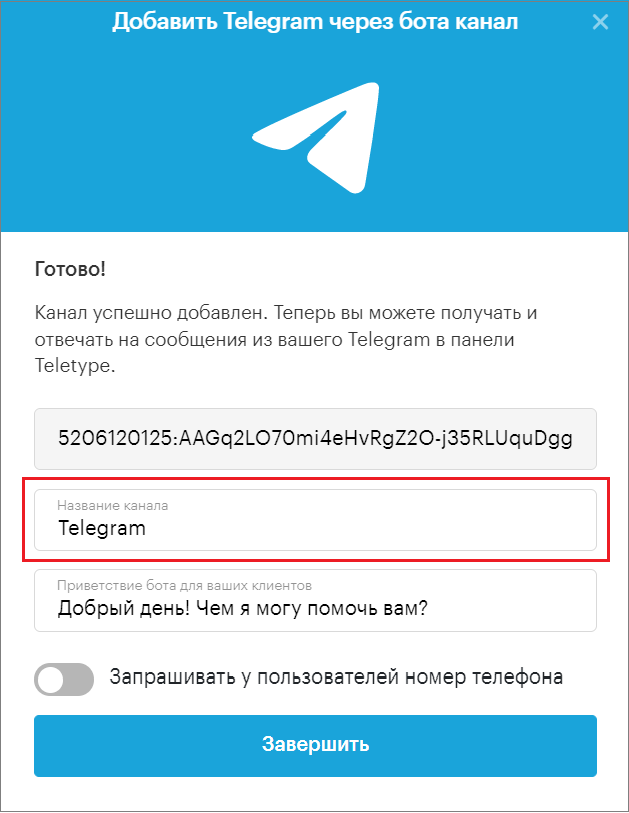
15. Add an automatic greeting from the bot.
16. Enable the request for users’ phone numbers if needed.
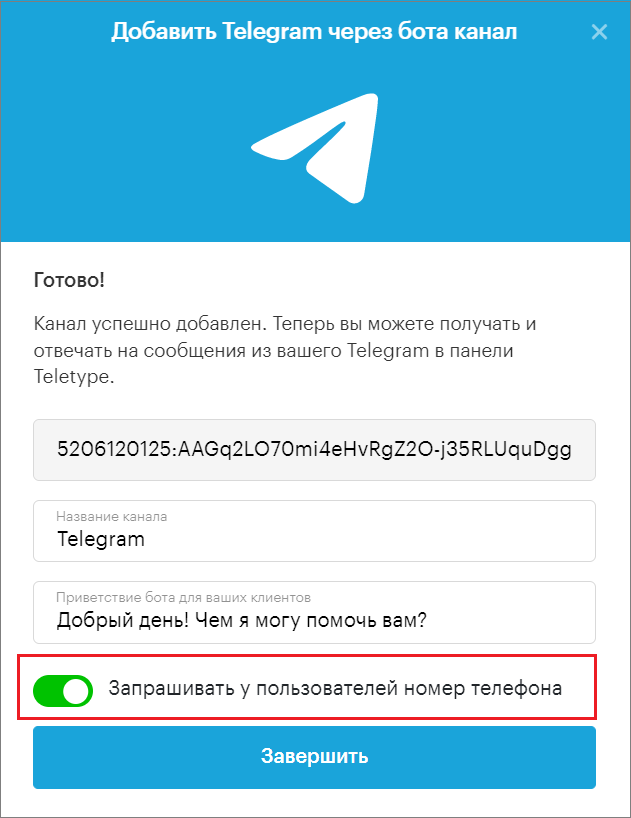
17. Click “Finish.”