How can we help?
Working with the “Statistics” Section
Where to Find “Statistics”
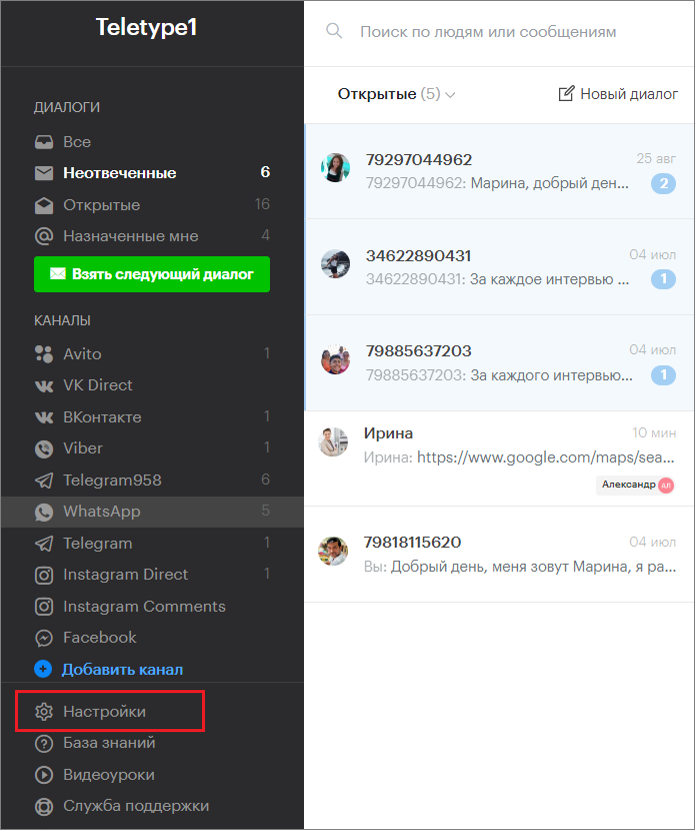
- In the left menu of the Teletype panel, go to the “Settings” section.
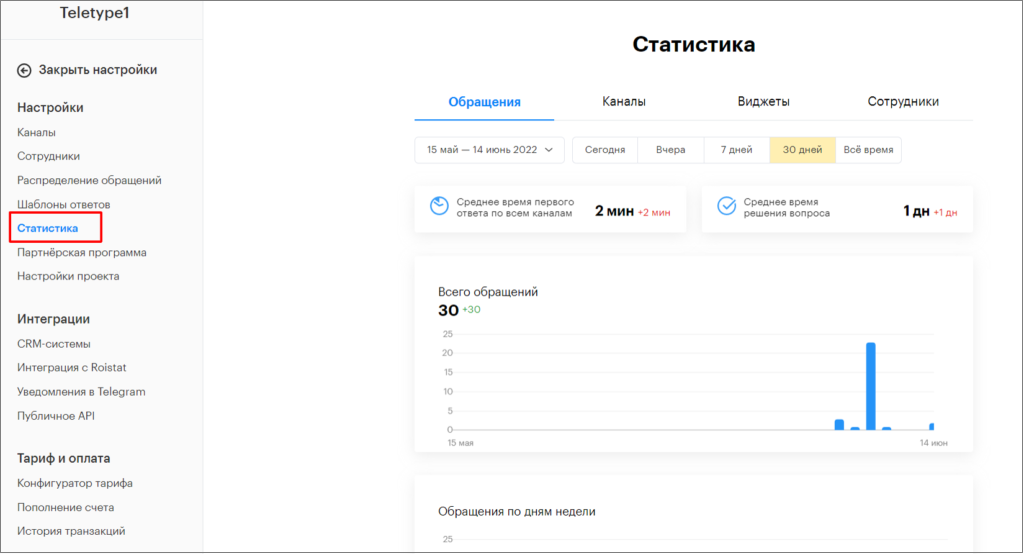
2. In Settings, select the “Statistics” section.
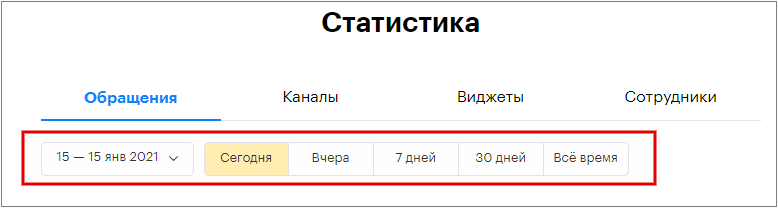
In the “Statistics” section, you can choose the time period for displaying statistics: from the current day to all-time channel statistics, or specify a custom time range if needed.
Statistics are updated once every hour.
Statistics include 4 sections:
- Requests
- Channels
- Widgets
- Employees
“Requests” Section
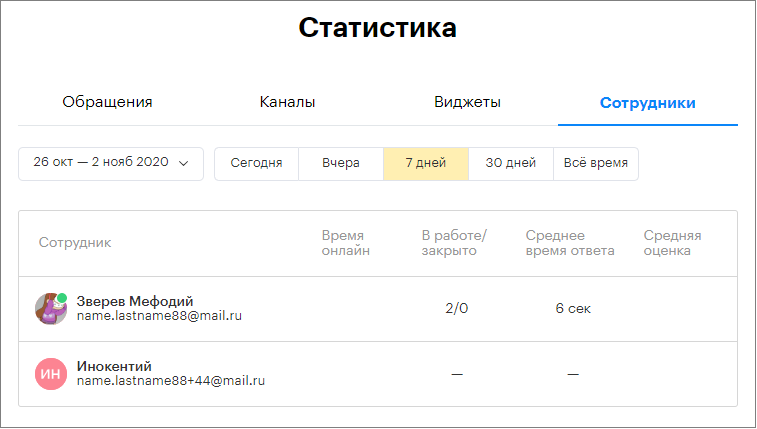
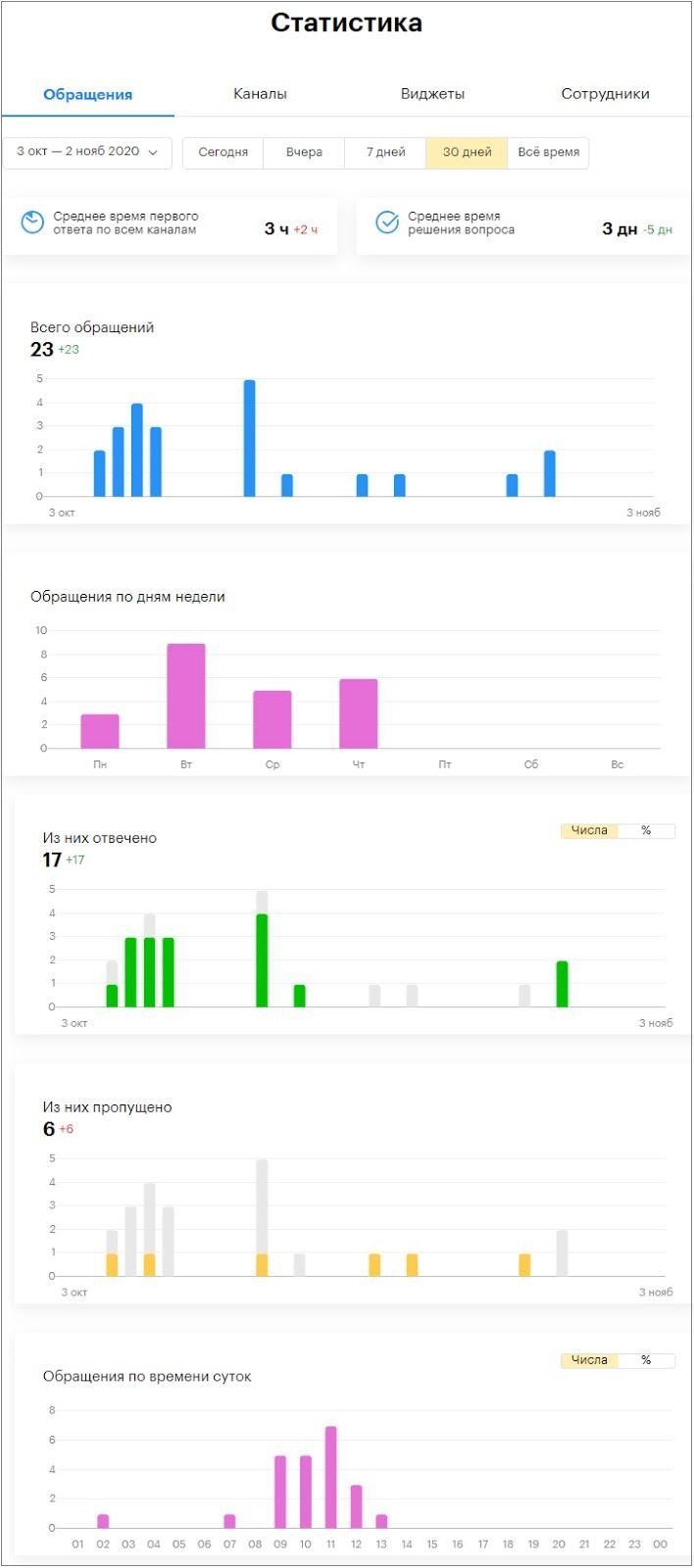
This section contains data on all incoming requests across channels, statistics on answered and missed messages, as well as average response and resolution times for customer dialogs.
Parameters:
Average first response time across all channels – the arithmetic mean of the operator’s first response time from the moment the dialog was created. Calculated for the selected time period using the formula:

Average resolution time – the arithmetic mean of the time from dialog creation to its closure. Calculated for the selected time period using the formula:

Total requests – the total number of dialogs.
Answered – dialogs that received a response from an operator.
Missed – dialogs without an operator response.
“Channels” Section
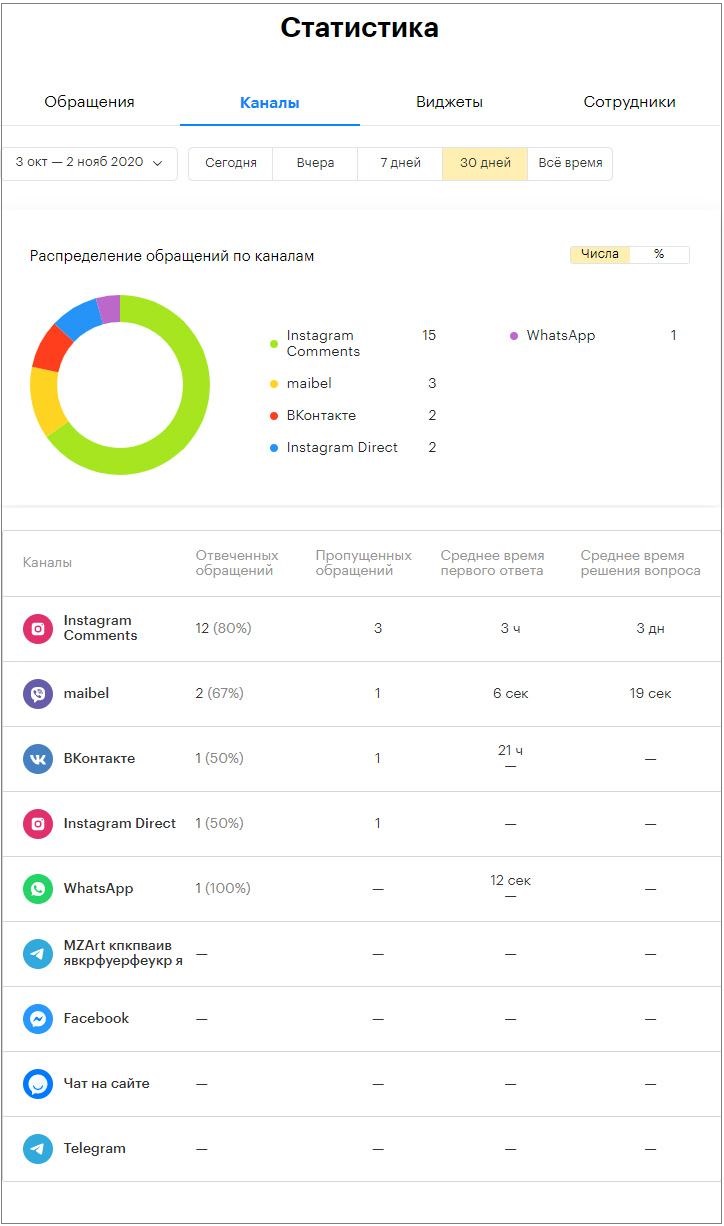
This section provides detailed information on the performance of all connected channels. The data here helps analyze which channels receive the highest volume of requests.
Parameters:
In the “Request distribution by channels” (chart) block, dialogs are sorted and summed by channel for the selected period.
Answered requests – total dialogs received on the channel that were answered by an operator.
Missed requests – total dialogs received on the channel that were not answered by an operator.
Average first response time – the arithmetic mean of the operator’s first response time from dialog creation on a specific channel.
Average resolution time – the arithmetic mean of the time from dialog creation to closure on a specific channel.
“Widgets” Section
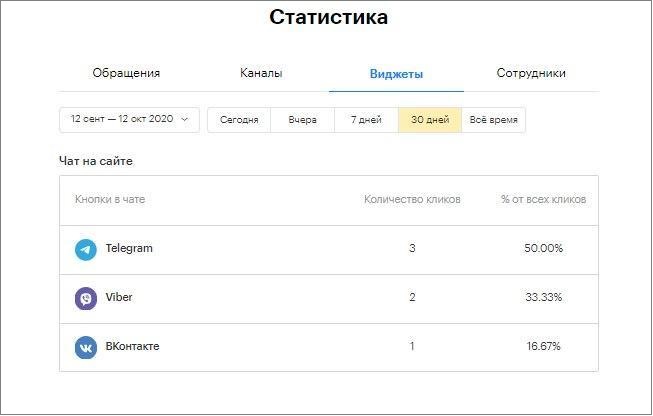
This section contains information about the number of clicks on chat buttons.
Parameters:
Number of clicks – the total clicks on specific messenger buttons in the online chat header during the selected period.
% of total clicks is calculated for the selected period using the formula:

“Employees” Section
This section contains all information about operator performance.
Parameters:
In progress/closed – total dialogs assigned to a specific operator during the selected period / total dialogs closed by that operator during the selected period.
Average response time – the arithmetic mean of the operator’s first response time from dialog creation.
Average rating – the arithmetic mean of ratings given in the online chat.