
How can we help?
-
Getting Started
- Registration in the System
- Setting Up and Adding a New Project in Teletype App
- Removing the Teletype App Link
- Teletype App Affiliate Program
- What is the Teletype App?
- Terms in the Teletype App
- How to switch Teletype to English
- Switching the Panel to English
- Glossary Teletype App
- Registration in Teletype App via eLama
- Показать все статьи ( 2 ) Свернуть статьи
-
Adding Channels
- Connecting to Facebook
- Telegram bot
- Viber Bot
- VK Group
- Online Chat for Website
- Instagram Direct/Comments
- Button with Messengers
- Telegram by Phone Number
- Avito Personal Account
- VKontakte Personal Account
- Email Setup
- WhatsApp Business
- Connecting WhatsApp Without Authorization in the Panel via Link
- Connecting Telegram by Phone Number Without Authorization in the Panel via Link
- Connecting Max
- Connecting Max Bot
- SMS
- Показать все статьи ( 10 ) Свернуть статьи
-
Working with Dialogs
- Closing the Dialogue and the Answered Button
- Customer Information
- Working with Channel and Dialogue Filters
- Quick Reply Templates
- Message Read Status in WhatsApp and Viber
- Closing a Conversation in AmoCRM — Ending a Dialogue in the Teletype App
- Working with the Telegram Notifier
- Button ✉️ Take the next conversation
- Reassigning the Dialogue
- Hotkeys
- Sending Voice Messages on WhatsApp
- Categories for Dialogues in the Teletype App Panel
- Group Chats in WhatsApp
- Group Chats on Telegram by Number
- Tags
- Push Notifications
- Distribution of Requests
- Mass Actions
- Request Notifications
- Evaluation of Dialogues in Telegram and WhatsApp
- Personal Data
- Показать все статьи ( 13 ) Свернуть статьи
-
CRM Systems
-
Operators
-
Profile Editing
-
Additional Options
-
Online Chat Installation
- WordPress — Chat Code Installation
- Joomla — Chat Code Installation
- Bitrix — Chat Code Installation
- Opencart — Chat Code Installation
- WIX — Chat Code Installation
- MODx — Chat Code Installation
- Tilda — Installing Chat Code
- UMI.CMS — Chat Code Installation
- NetCat — Chat Code Installation
- PrestaShop — Chat Code Installation
- ImageCMS — Chat Code Installation
- PlatformaLP — Chat Code Installation
- LPmotor — Chat Code Installation
- A5.ru — Chat Code Installation
- Blogger — Chat Code Installation
- Canape CMS — Chat Code Installation
- CartEnergy — Chat Code Installation
- DIAFAN.CMS – Chat Code Installation
- DigiSt — Chat Code Installation
- Drupal — Chat Code Installation
- Flexbe — Chat Code Installation
- fo.ru — chat code installation
- Gophotoweb — Chat Code Installation
- io.ua — chat code installation
- IPBoard (Invision Power Board) — Chat Code Installation
- lact.ru — Chat Code Installation
- Magento — Chat Code Installation
- Показать все статьи ( 19 ) Свернуть статьи
-
Analytics
-
API
-
Billing
-
Telephony
-
Teletype Sender
-
Bot Builder
Working with the Telegram Notifier
By connecting the Telegram notifier, you will receive notifications about all incoming messages from clients and outgoing messages from operators in Telegram. Additionally, you can add the notifier to a workgroup so that messages are visible to all its members.
Connecting “Notifications in Telegram”
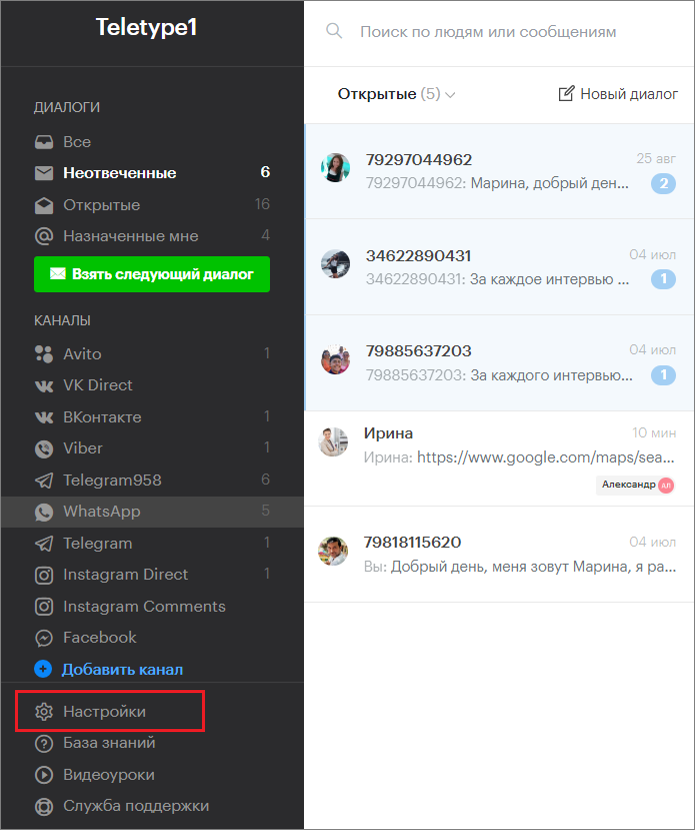
- Go to the project settings.
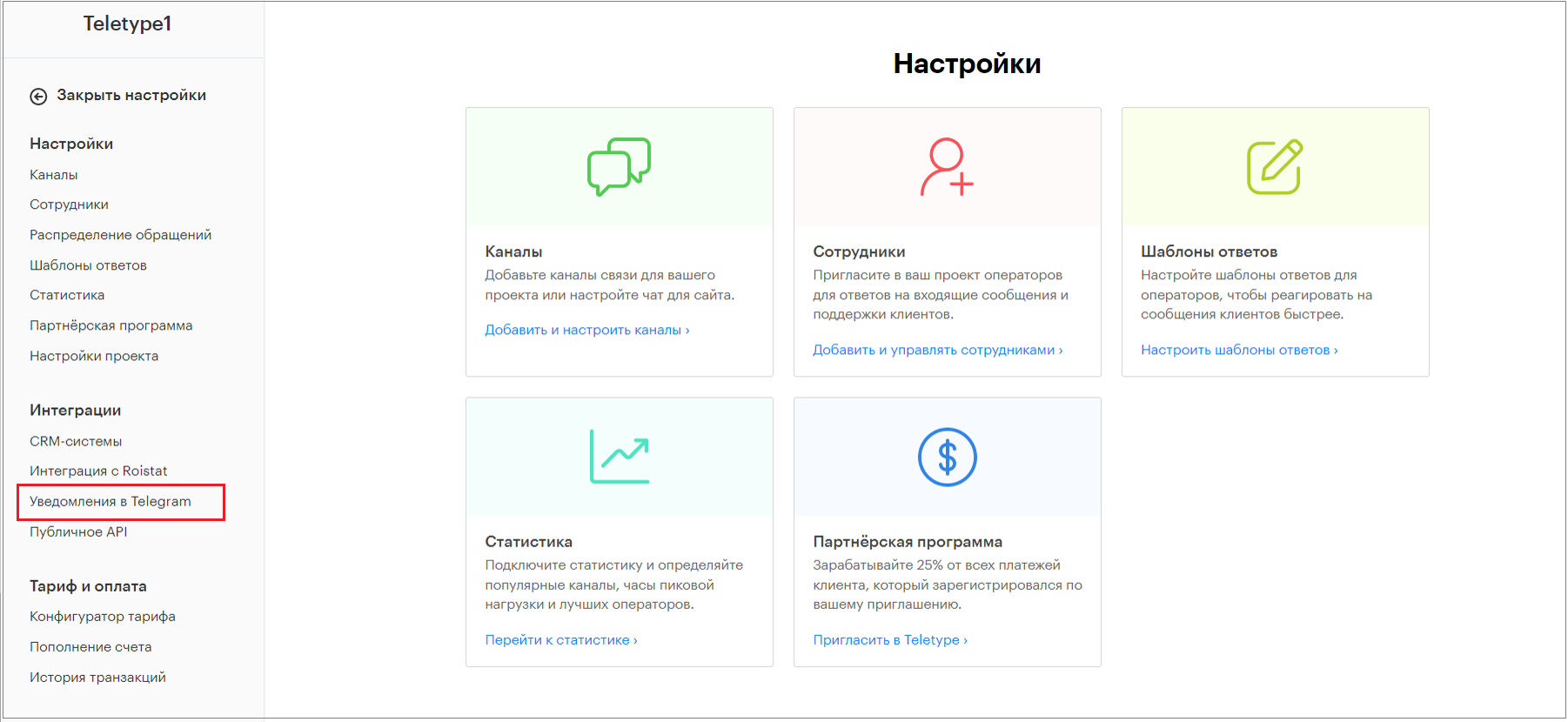
2. Select “Notifications in Telegram” in the “Integrations” section.
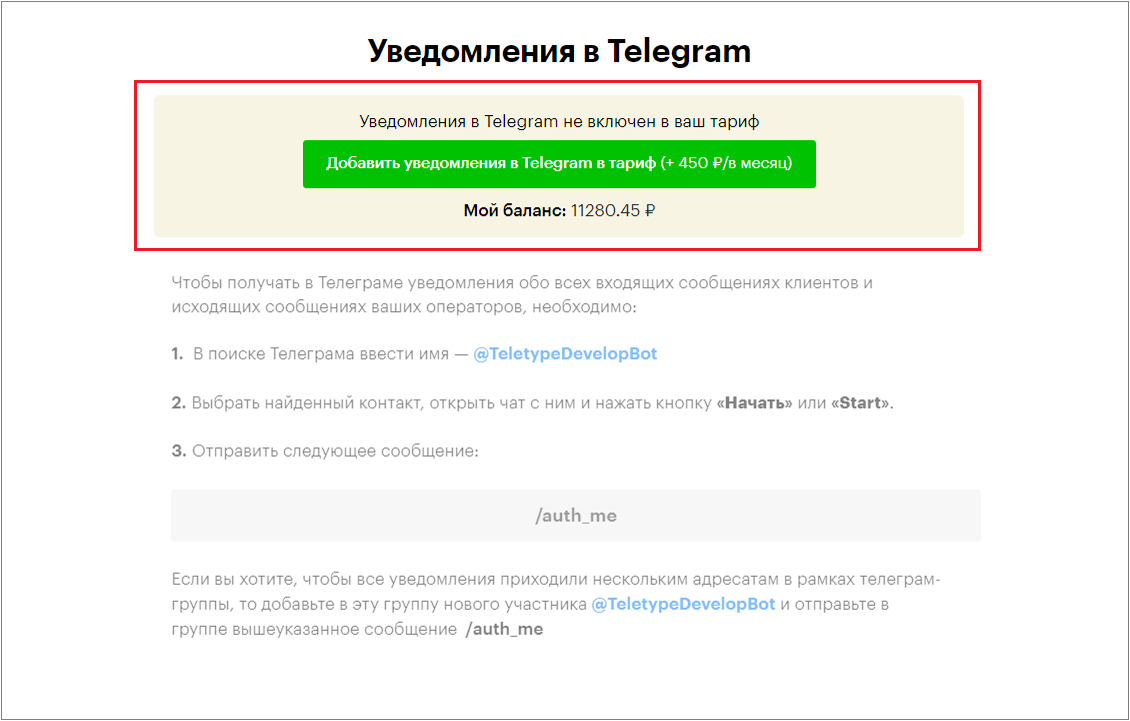
3. Click “Add Notifications in Telegram to the plan”.
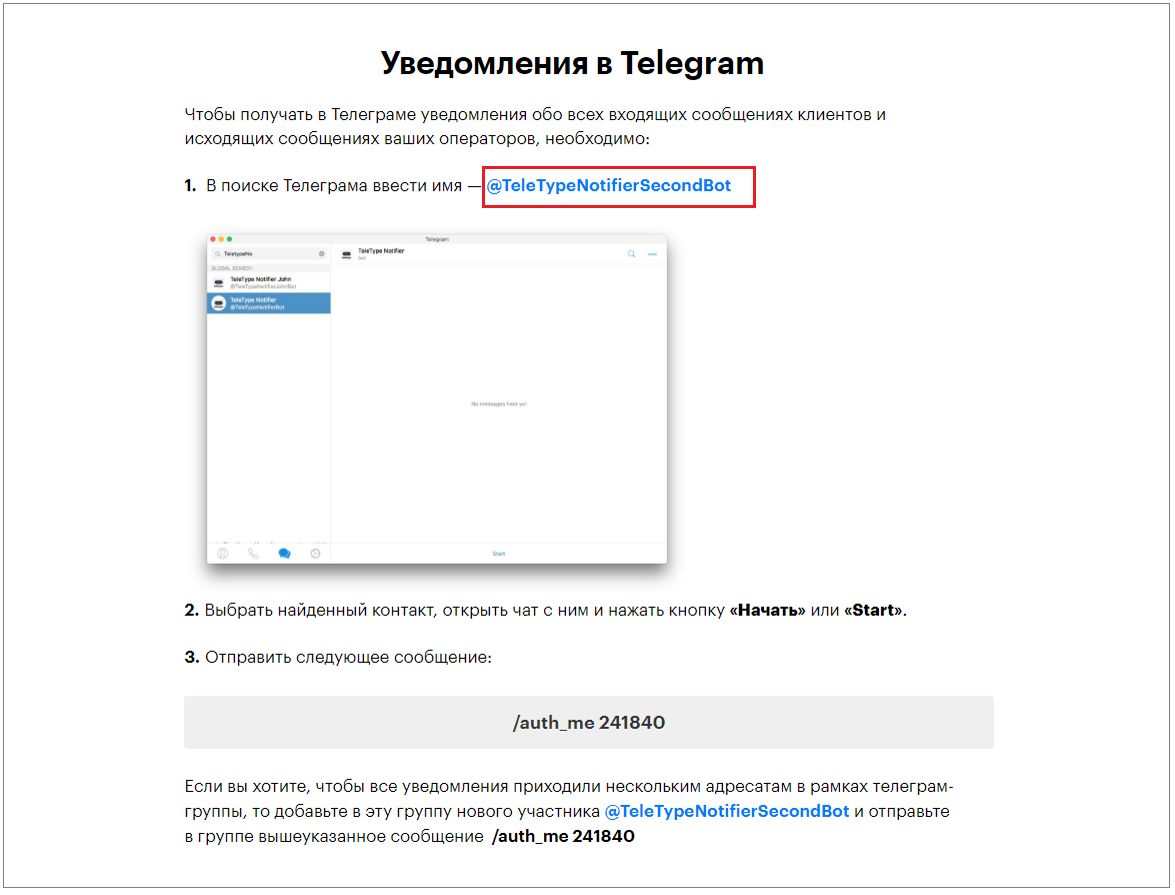
4. Copy the bot name and enter it in the Telegram search.
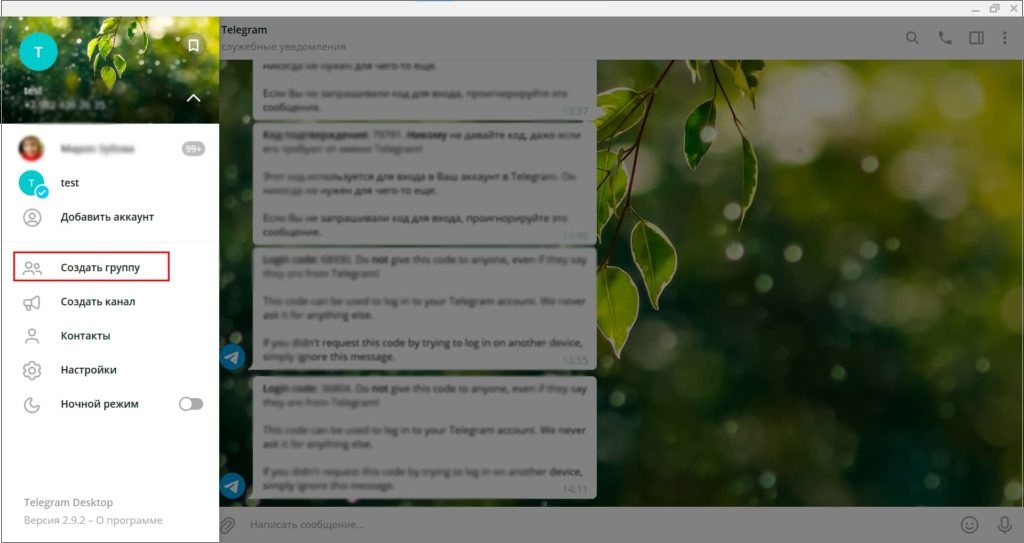
5. Open Telegram and select Create Group from the left menu.
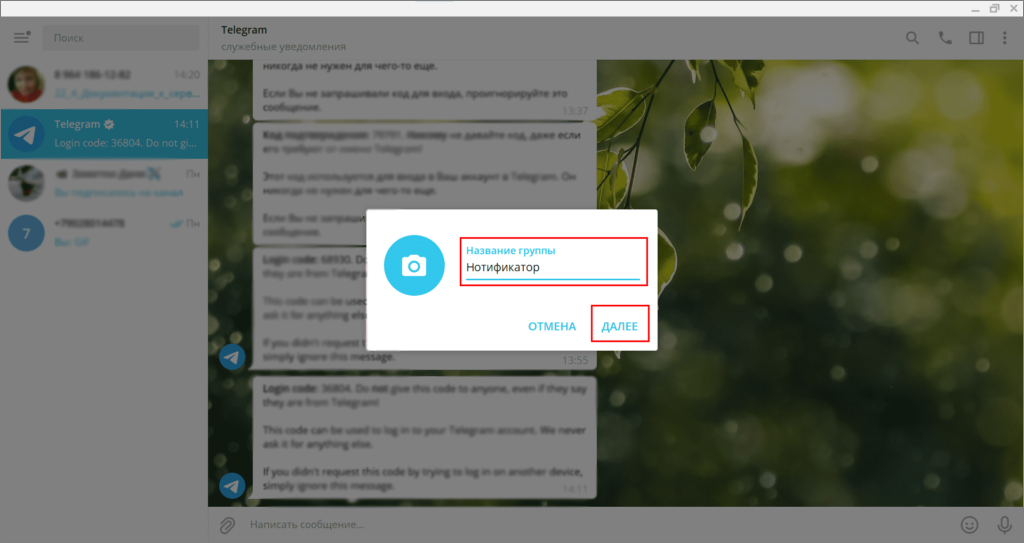
6. Enter the group name and click Next.
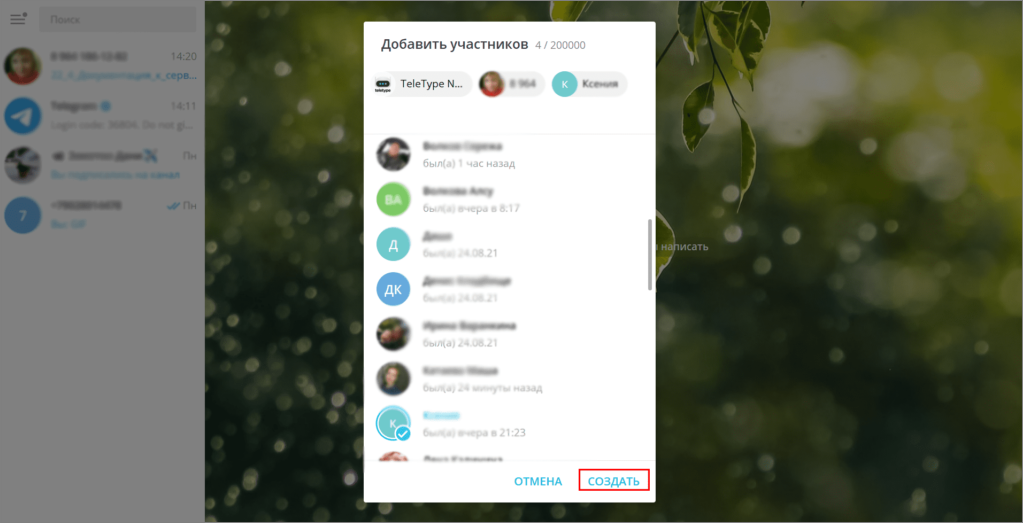
7. Add group members.
8. Paste the copied bot name into the search bar, select the suggested bot, and click Create.
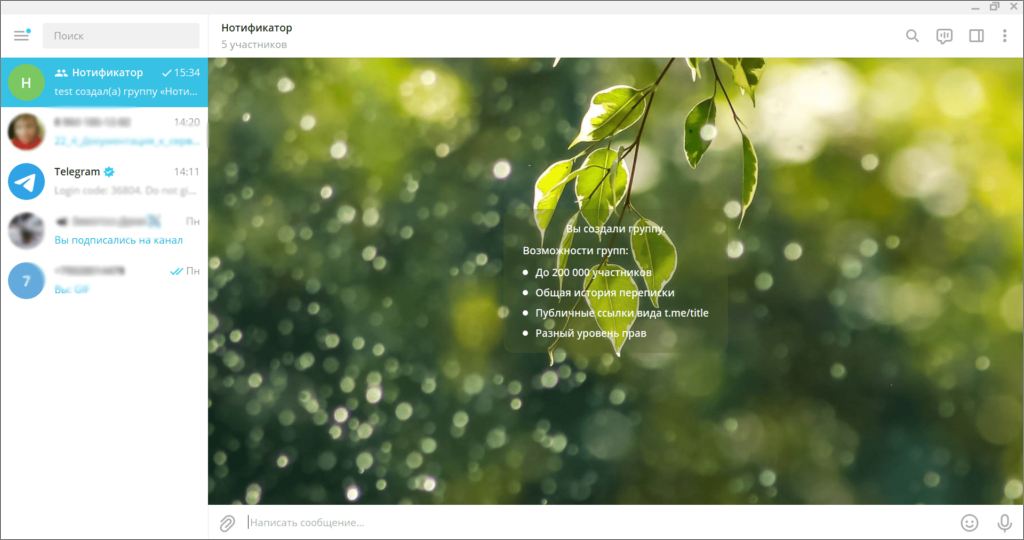
9. After that, this group will appear in your Telegram chat list.
10. Go to the panel and copy the special code in the format /auth_me [number].
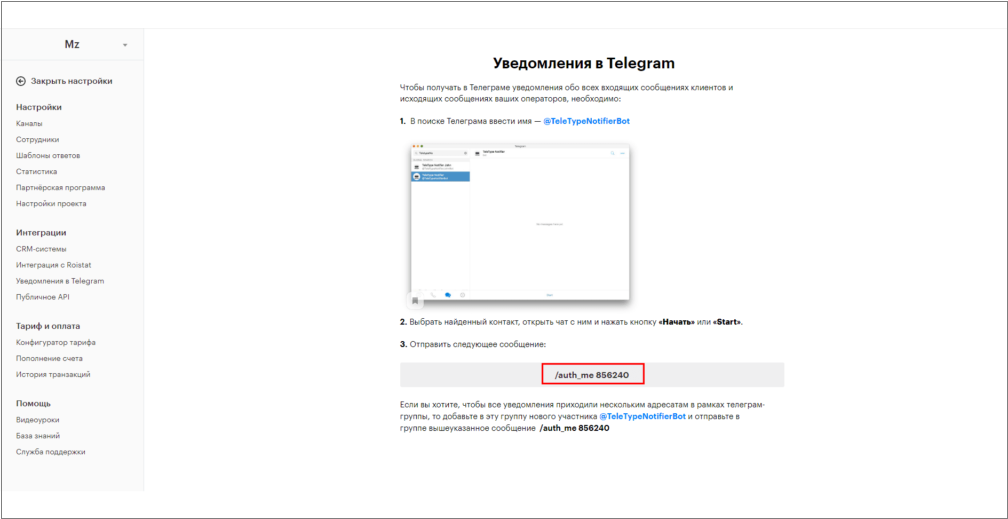
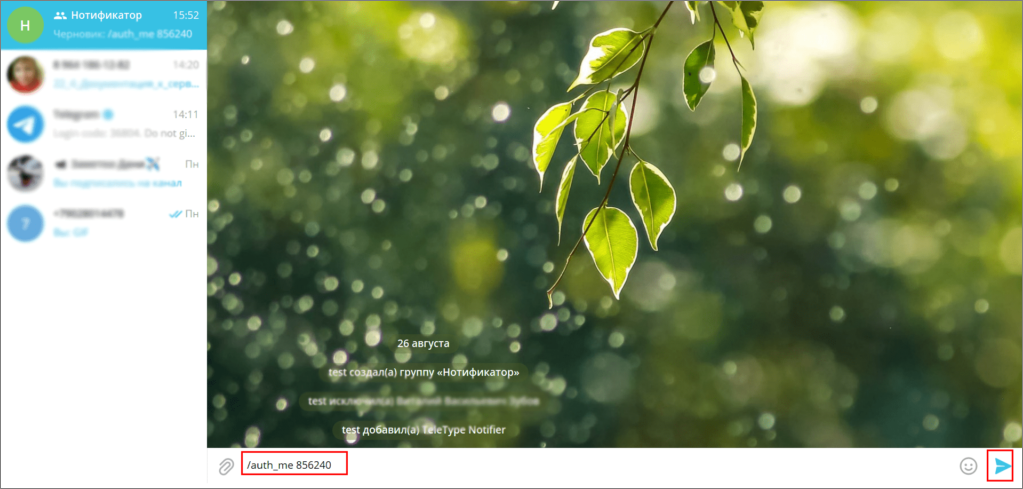
11. Open Telegram, paste the copied code into the message input field, and send it to the chat.
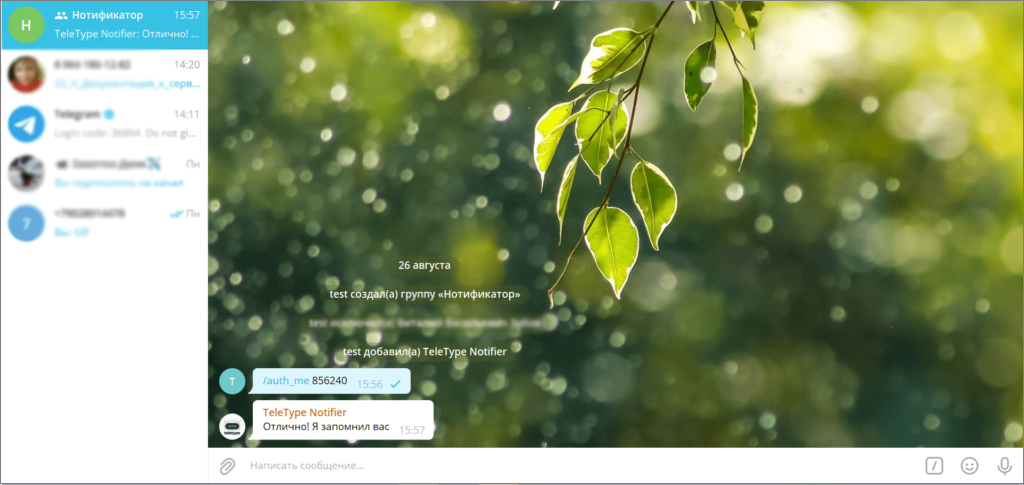
12. Your notifier is now connected.
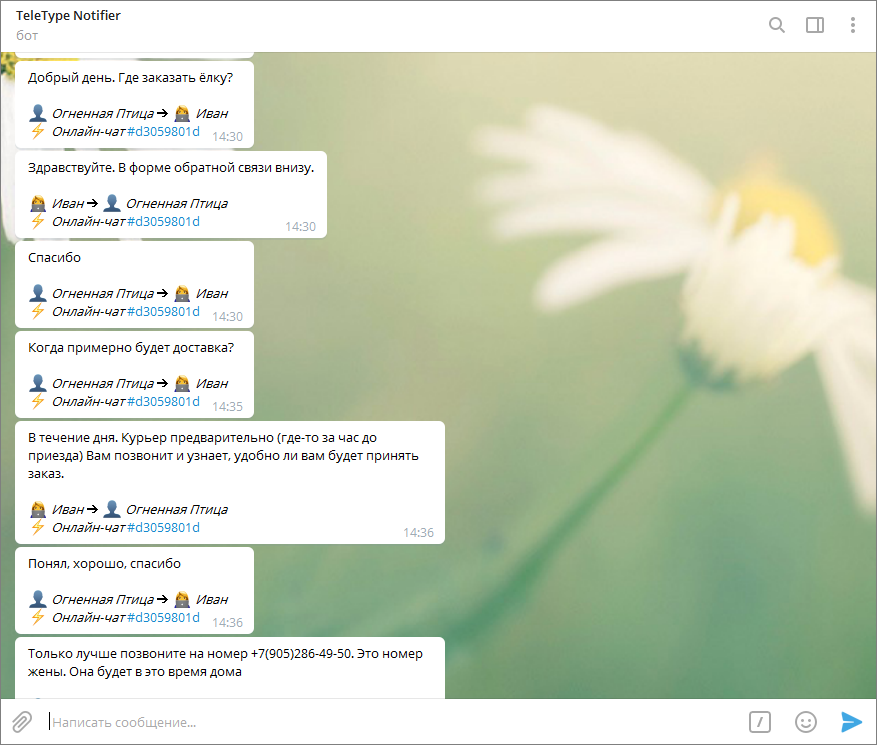
Notification Examples
Important Information
The Telegram notifier can only be connected by the project owner.
Learn more about the purpose of the Telegram notifier and how it can assist managers and operators in our article (Internal Chat for Operators and Managers by Teletype).